
Shift handover
Handovers built from the shift’s own entries, then signed off.
Find out more ↗
Record what happens, keep the context and make it available to the people taking over. Opralog is our web-based logbook and shift handover system. Logbooks, instructions, registers, tasks and reports all live in one place, so control-room and shift teams work from the same record.
Use Opralog on its own, or extend it into the field with the optional Mobilog app.

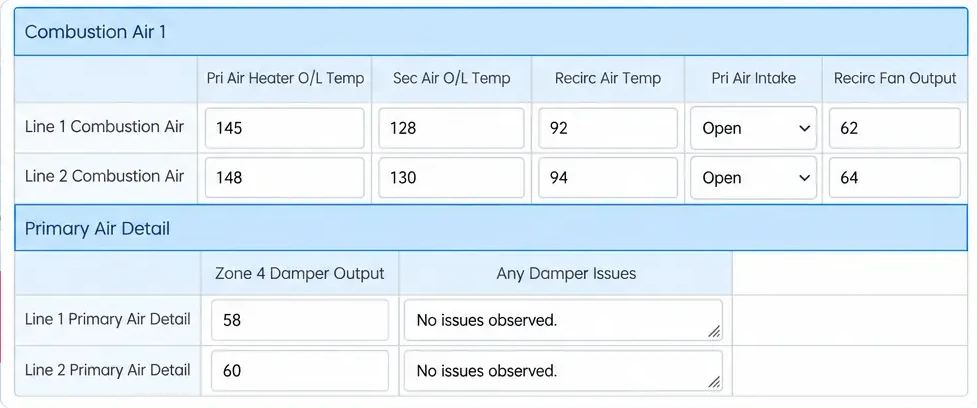
Opralog is used on sites that run around the clock, where the next shift needs a clear picture of what happened, what changed and what still needs doing. Here’s how it helps.
Entries from any logbook can be shared into the handover, automatically or by hand, so most of it is ready before anyone sits down to write it. It’s the same entry wherever it appears.
Anything still open is carried forward and keeps the time it was first recorded. Shifts can be locked and signed off with names recorded, and if you want, the next shift can be held until it has accepted the handover.
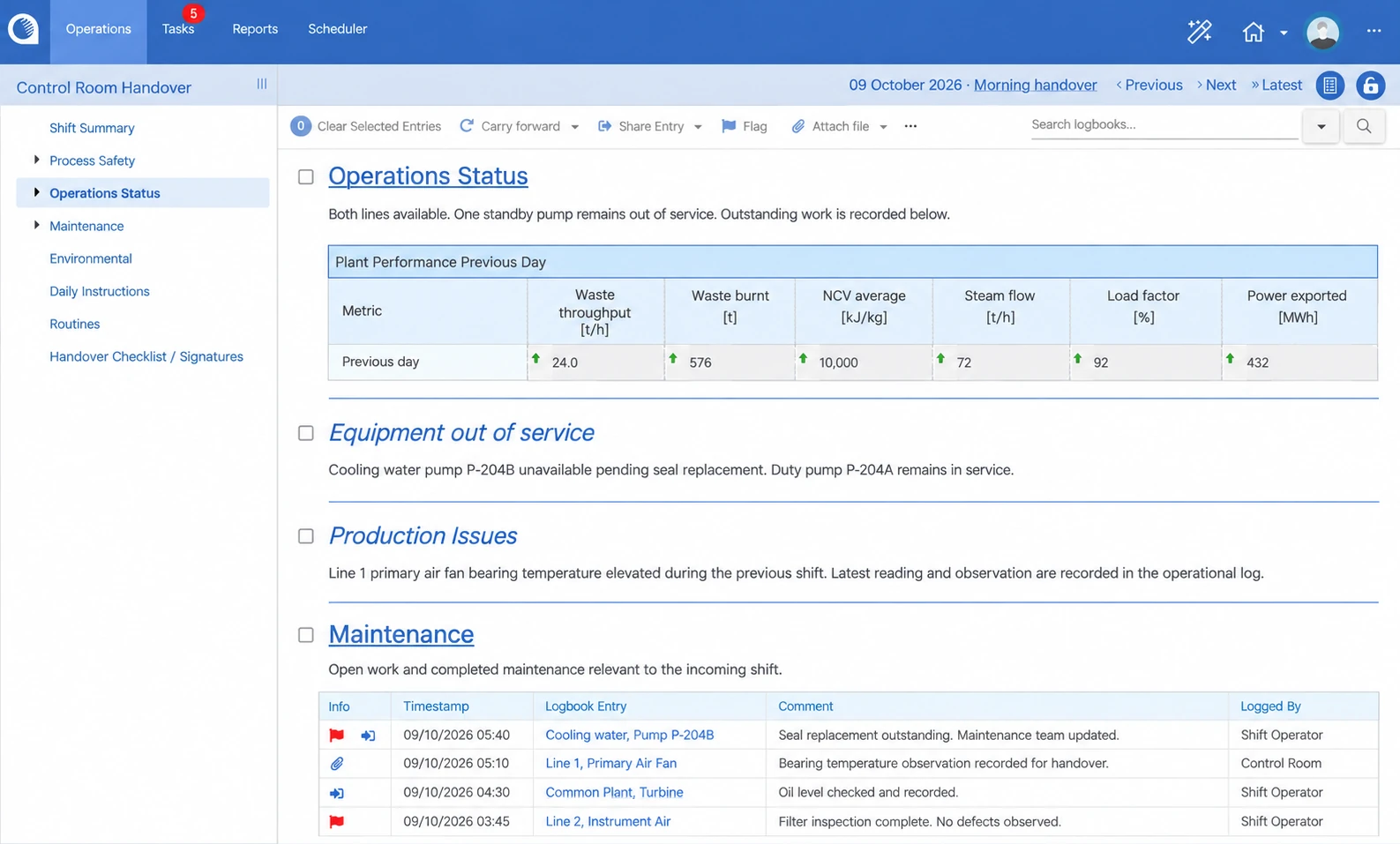
Need to know when an issue first appeared or what the previous shift did about it? Search and filter the entries to find the detail. Reports can draw from several logbooks and go out on a schedule or when a shift is signed off.
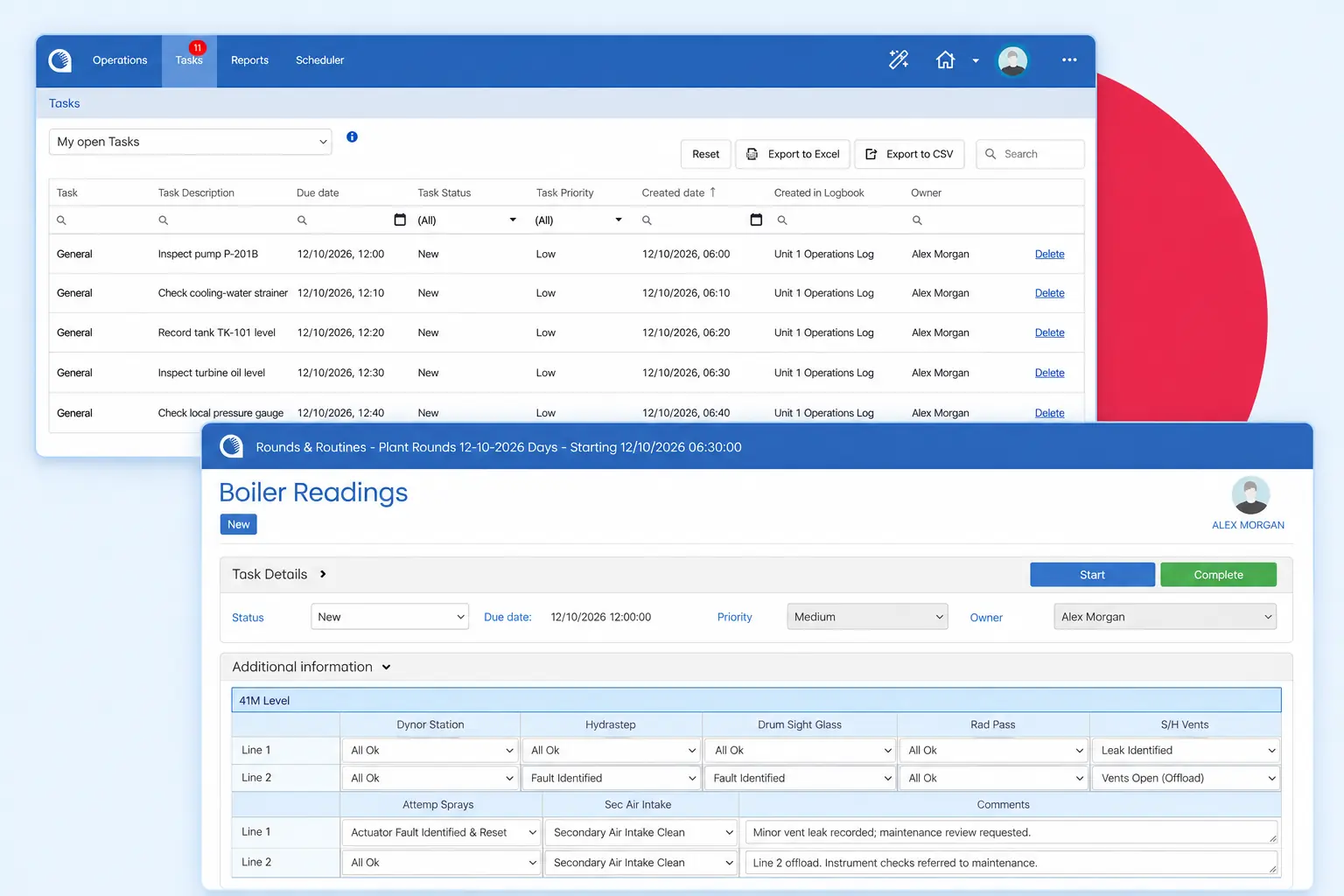
Tasks have an owner and a due date. Your team can see what’s still open, check progress and receive email notifications when work is assigned or overdue.
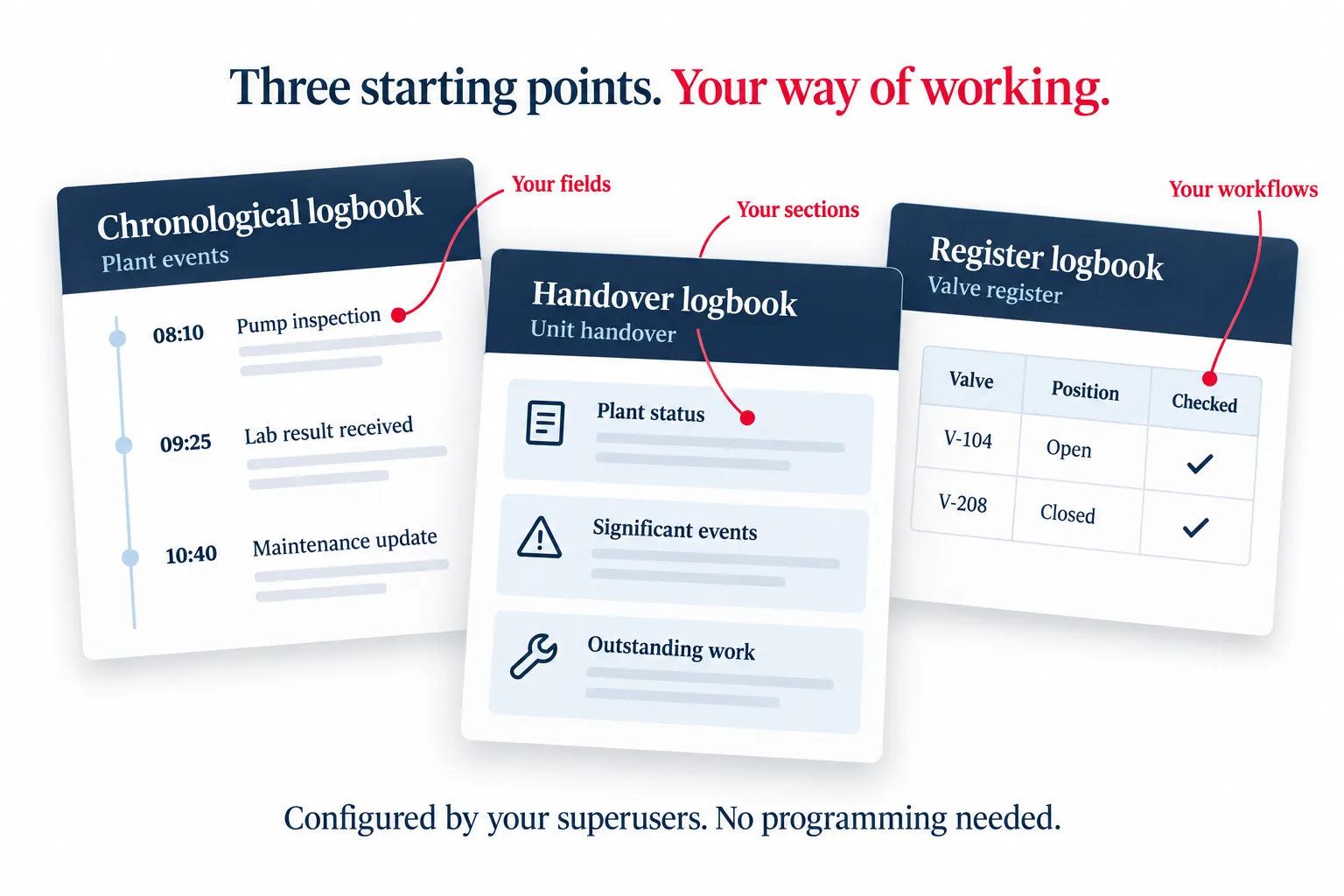
You start with one of three logbook frameworks: chronological, handover or register. Your trained superusers can then choose the fields, forms and workflows your teams need, using point-and-click tools. There’s no programming involved.
That might be a generating-unit handover, a lab-results form or a register for equipment defects. You can use common standards across sites and still account for local requirements. We work with you on the initial set-up and train your superusers to make changes themselves.
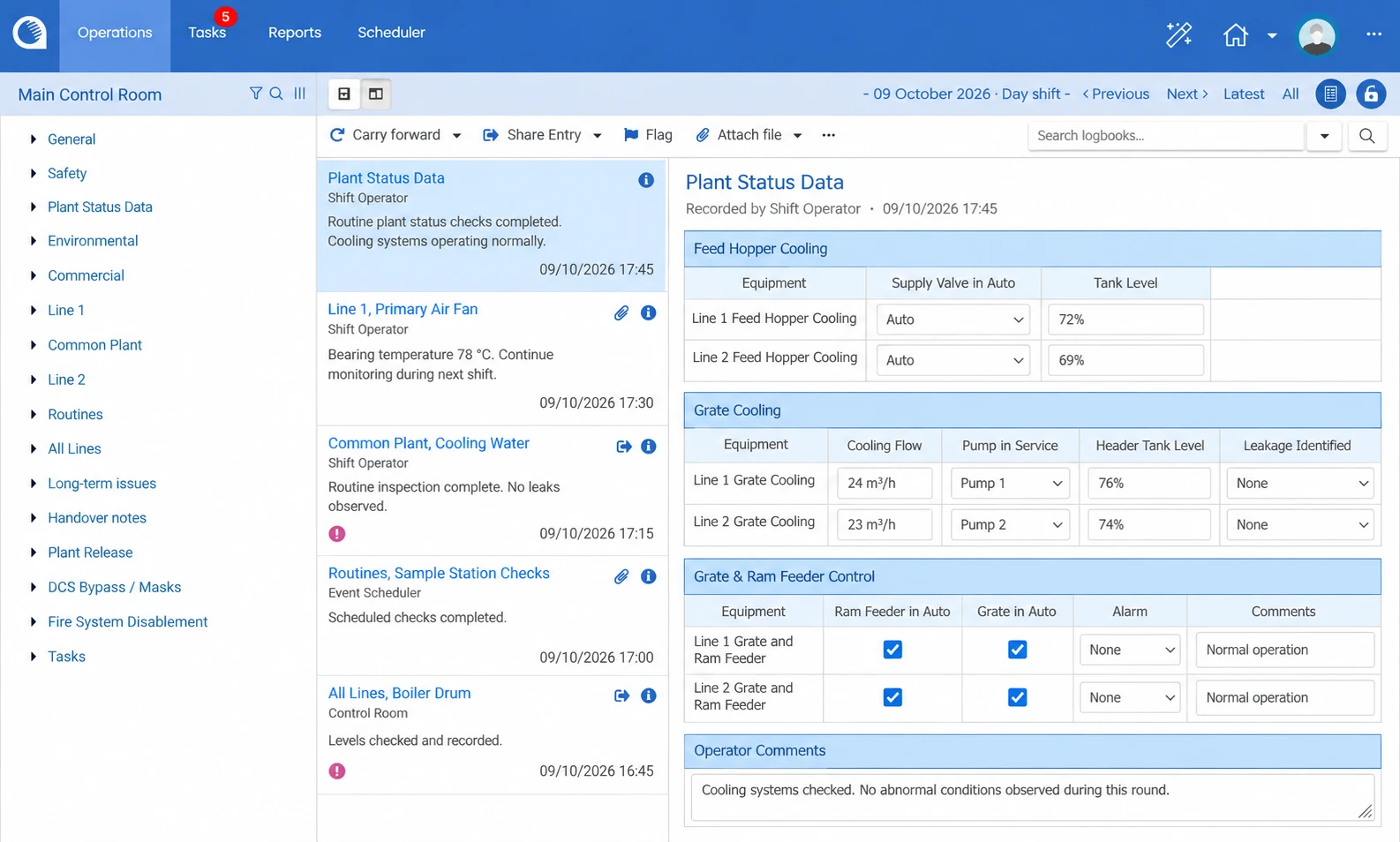
Operators select what happened from an entry list set up for each logbook, and Opralog adds the timestamp and who logged it. They can add a comment, and forms capture the detail that matters, using text, numbers, drop-downs and radio buttons. Calculations do the sums as you go, and behaviours trigger workflows and notifications in real time.
Connect Opralog to your other plant systems, such as AVEVA PI or another plant historian, maintenance or permit-to-work systems, so teams see relevant plant and process data alongside their operational records. Standard interfaces and APIs let these systems read from and write to Opralog, which cuts manual entry and keeps information accurate and consistent.
05 / Applications
One system, used across the operation. Each of these is set up for your site.
Handovers built from the shift’s own entries, then signed off.
Find out more ↗Control room, maintenance, safety and other logbooks in one place.
Find out more ↗Keep long-term inhibits and overrides in a register that every shift sees.
Find out more ↗Registers set up for your site, with change approval if you need it.
Find out more ↗Turn an entry into a task with an owner and a due date.
Plant data from AVEVA PI or other historians, and equipment status kept up to date from logged events.
Find out more ↗Daily instructions and standing orders where the next shift will see them.
Rounds and inspections in the field with Mobilog, in the same record.
Find out more ↗06 / Features
A summary of what’s in Opralog today, grouped by area.
07 / Opralog today
Opralog has been part of daily operations for more than 25 years, used across hundreds of sites by thousands of people. Throughout that time, we’ve worked closely with customers to understand what their teams need to record, share and carry forward between shifts.
That experience has shaped the product. Today, Opralog brings operational logbooks, shift handovers, registers, tasks and reporting together in a modern web application. Teams can configure it around their own processes, with a shared operational record across departments, sites and shifts.
Some of our customers have been with us since the early 2000s. Their feedback continues to shape how Opralog develops, alongside the requirements of new customers and the practical challenges their teams face.
If you still use the Windows version, the questions below explain the upgrade.
“The biggest difference is having field observations and shift information in the same place. Something picked up on a round is still visible when the next team takes over.”
Shift teams get a complete, consistent record without slowing down. Operators pick what happened from an entry list set up for their logbook, and Opralog adds the time and who made the entry. Forms with drop-downs, tables and calculations capture the detail, and pop-up warnings and highlighted fields point out what matters.
Everyone with access works from the same record, including earlier shifts, in a browser. Regular operator checks and planned work don’t rely on someone remembering: the scheduler sets up recurring entries and tasks, daily, weekly, monthly or on another pattern, records them automatically and shows them in a calendar view. Field teams can work on phones and tablets with the optional Mobilog app, which is fully integrated with Opralog.
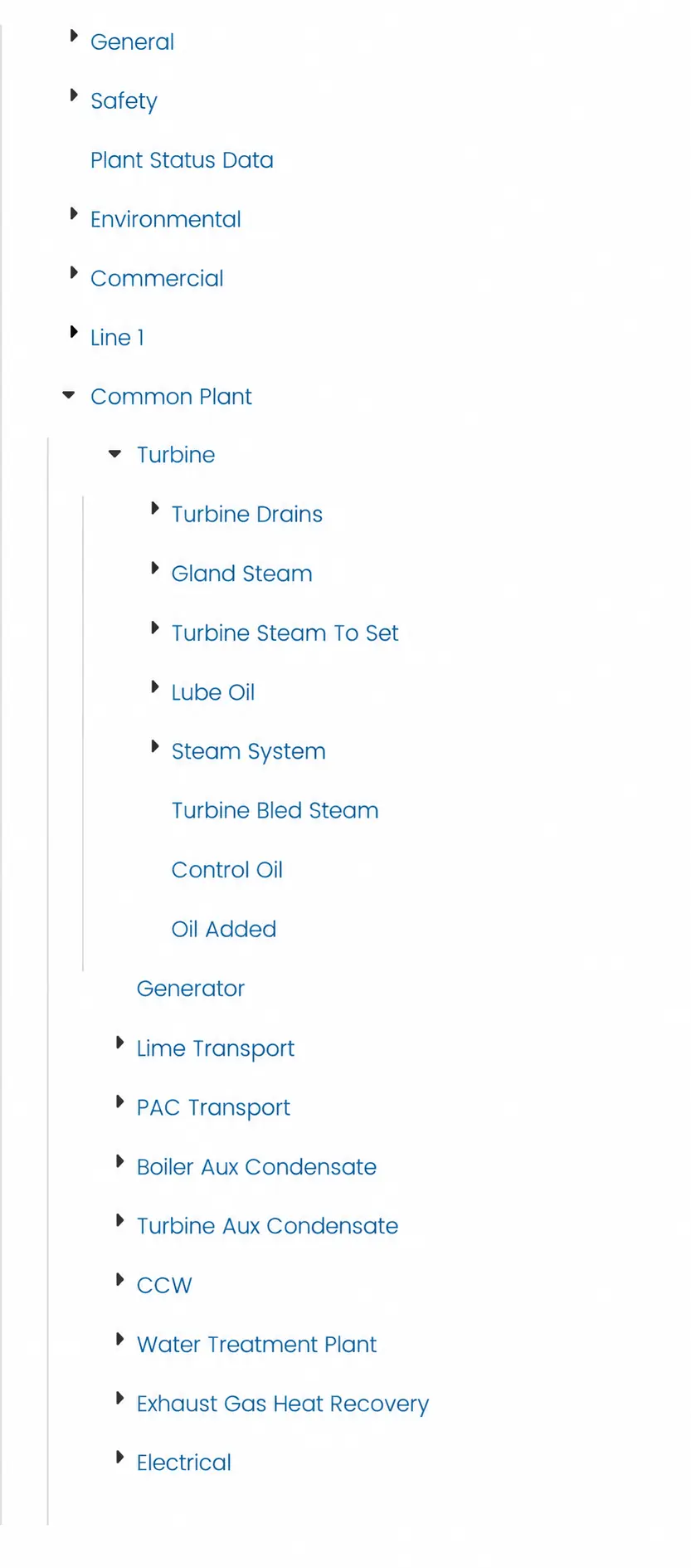
Find what you need quickly and see where problems keep coming back. Search and filter entries across every logbook, shift and site, much faster than in the Windows version, even with large amounts of data.
Reports can combine several logbooks and go out on a schedule or when a shift is signed off, so managers get them without asking. The reporting engine handles more complex reports, you can look back across shifts for repeat defects and recurring events, and data can go to Power BI or similar tools.
Opralog works the way your site does. Rather than a fixed template, you start from one of three logbook frameworks, chronological, handover or register, and build in your own events, equipment, forms and workflows.
Your trained superusers make changes with point-and-click tools and no programming, so the system belongs to your site and keeps up as your processes change. We help with the initial set-up and train your superusers.
Your IT team stays in control. Opralog runs in a browser with nothing to install on users’ computers, and your data stays inside your security boundary. We agree the set-up, access and security with your IT or OT team early on, and users can sign in with their existing company account through single sign-on.
Implementation starts with how your teams work today: what they record, hand over and follow up. Tell us what you’d like to cover and we’ll agree a realistic timeline with you. If you still use the Windows version, we’ll plan the upgrade with you as a controlled move.
08 / At a glance
Opralog is a web application installed on your own servers or in your organisation’s Azure or AWS environment. We work with your IT team to agree the set-up and access.
We start with how your teams work, from what they record to what they hand over and follow up. Then we configure Opralog with you and train your superusers to manage it.
When you need help, you speak directly to people who know Opralog and your set-up. Our core team has been with us for years.
09 / Your questions
Straight answers about the product, set-up and getting started.
Discuss your requirements ↗An electronic logbook records events, observations and decisions in a format your teams can search and share. With Opralog, those entries also feed into handovers, tasks and reports. The information stays useful after the shift that recorded it.
Yes. You access Opralog through a web browser, with the application installed on your organisation’s infrastructure. If you’re using an older Windows installation, contact us to discuss upgrading.
Opralog is built for people working a shift. Operators select what happened from an entry list set up for their logbook, and Opralog records the time and who made the entry. Forms use drop-downs, tables and calculations, and warnings highlight what matters. It runs in a browser, and long-standing users of the Windows version find the interface familiar. The best way to judge is to see it, so ask us for a demo.
You can start small: begin with one area, check it works for your teams, then extend it. The timeline follows how many areas, logbooks and interfaces you’d like to include, so tell us what you’d like to cover and we’ll agree a realistic timeline with you, and train your superusers so your site can run it.
Yes, if you run shifts and need a reliable record of what happens. Start with the logbooks you need, such as a control room logbook and a handover, and add registers, task types or Mobilog later without a new project. You only pay for the licences, configuration and services you need, so tell us about your site and we’ll put a quote together.
Yes. Opralog is well suited to Control of Major Accident Hazards (COMAH) sites, where clear communication and a reliable shift handover are essential in hazardous environments. Everything in Opralog is useful there: structured logbooks and handovers, registers, tasks and a full audit trail, so nothing is lost and every record can be audited. It supports the record-keeping and handover these sites need. Tell us about your site and we’ll show you how it would fit your procedures.
Yes. Opralog works on its own. Mobilog is an optional, separately licensed app you can add when you want to take rounds and inspections into the field. It works with Opralog Web, so field entries join the same record.
Yes. Opralog is designed for use across multiple sites. You can agree a common approach to logbooks, handovers and reporting, then allow for the things each site does differently. We work through that structure with you during set-up.
Your own trained superusers. They can change logbooks, forms, registers and workflows using point-and-click tools, without writing code. We train them and provide support when they need it.
Opralog’s three logbook frameworks are configurable, including their fields, forms and workflows. Show us your handover form or register and we’ll work through how it would fit. You’re not limited to a fixed list of register types.
Yes. An entry can be shared into other logbooks, including the handover, automatically or by hand. A shared entry is recorded once and is the same entry wherever it appears. You can also copy an entry, and the copy can stay in step with the original or be changed separately.
Outstanding entries can carry forward into the next handover, keeping their original date and time. Tasks remain assigned until completed, and you can use overdue notifications to prompt follow-up. The incoming team can see what still needs attention.
Yes. Set up regular operator checks and planned work once, and they appear when they’re due. The scheduler is standard in Opralog: users set up recurring entries and tasks, daily, weekly, monthly or on another pattern, and Opralog records them automatically. A calendar view shows what’s scheduled.
Yes. Standard interfaces and APIs let other systems read data from and write data to Opralog, from plant historians such as AVEVA PI, GE Proficy Historian, Aspen IP.21 and DataParc to maintenance and permit-to-work systems. We’ll look at the systems you use, what information needs to move between them and how often it should update. That defines the integration for your site.
Yes. Opralog has a standard two-way interface to AVEVA PI that works with both PI classic and PI AF. It brings live process data into entries and forms, writes back to PI and can create entries automatically from PI events.
Opralog connects to AVEVA PI as standard, for both PI classic and PI AF. Through its OPC interface and configurable APIs it also works with other historians, including GE Proficy Historian, Aspen IP.21, Canary, DataParc, TimescaleDB and InfluxDB. Tell us which historian you use and we’ll show you how it would work with Opralog.
Yes. You can search and filter entries across every logbook, shift and site, and searching stays quick even with large amounts of data. Reports can combine several logbooks and go out on a schedule or when a shift is signed off. The reporting engine handles more complex reports, and you can also send data to Power BI or similar tools.
Yes. Every entry and change records who did what, and when, so nothing is ever lost and every record can be audited. You have the complete history to hand for shift reviews, audits and investigations.
Yes. Opralog is self-hosted: it runs on your own servers or in your organisation’s private Azure or AWS environment, so your data stays inside your security boundary and in your control. Infotechnics does not host it as a SaaS service. We agree the installation, access requirements and responsibilities with your IT or OT team.
You do. Opralog runs on your own servers or in your organisation’s private Azure or AWS environment, so your data stays inside your security boundary. Infotechnics has no access to it unless you choose to give it.
Yes. Opralog can connect to your OIDC provider, so users sign in with their existing company account.
Yes, we recommend it. All our new development goes into Opralog Web, so moving gives you the current features and the improvements still to come. It also opens up Mobilog, so your field teams can record rounds and checks on phones and tablets. The Windows version is still supported. Opralog Web has been available for about five years, most existing customers have already moved to it, and all new customers start on it. Talk to us about planning your upgrade.
No. Everything the Windows version does is available in Opralog Web, along with new features. Some functions look different and are reached in a different way. All the historical data you need can be migrated, and if you want to, the move is a chance to archive logbooks or old data you no longer use.
We plan it with you as a controlled, largely like-for-like move, so your logbooks, reports and workflows stay as they are and there’s little change for your teams. We migrate your data, your superusers check it, and a final migration at go-live brings across anything recorded since. Opralog Web runs on your own servers or in your organisation’s Azure or AWS environment. Refresher training for your superusers is part of the upgrade, and afterwards we can review your configuration with you to simplify and improve it.
No preparation is needed. Tell us what you want to improve and we’ll take it from there. If you have a handover form, register or process you’d like us to look at, you’re welcome to share an example with sensitive information removed.
It’s definitely Opralog. Not always the easiest name to spell, but we like to think it’s worth getting right.
10 / See it in context
Follow an entry from the original event through to review, follow-up and the next shift. We can explore the configuration and implementation needed for your operation.
Book a demo